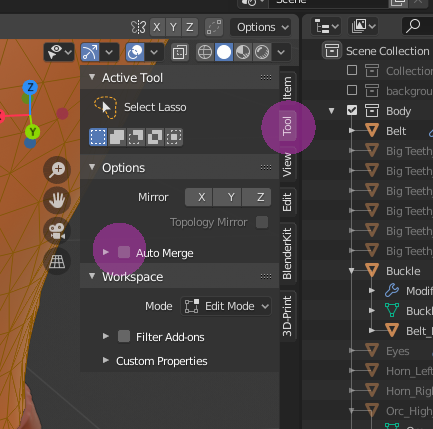
Not sure what is going on here. I make the first cut in order to create the centre line, then i make the second one and although the line LOOKS like there are two overlapping (where it gets that sort of ant line black and orange look at (i.e. 00:36)) they dont seem to be individually selectable or editable. It feels like the two lines are welding together some how.
Any tips? I’ve got around it in this tutorial by creating the centre line then beveling it to 1m.
Thanks for the reply FedPete, but that isnt actually the issue here. Perhaps i explained the issue poorly.
In the tutorial you are told to make a single loop cut around the whole model and leave it centred then make a second and move it to the first so that they are both perfectly down the centre of the geometry. (both in the exact same location.)
Then move the two 1 meter apart. in opposite directions so that the cuts now exist 2 meters apart from each other but are parallel with which ever axis you are working on.
However when i move them both to the same location they seem to weld to each other without me doing anything else.
Hi FedPete, thanks again for the reply, Im honestly not sure if that was the issue or not, after closing blender and coming back to it a few hours later the issue seems to have fixed itself…so… you were maybe right
Ill mark your answer as the solution though as others may find it useful in the future. thanks again for the assist