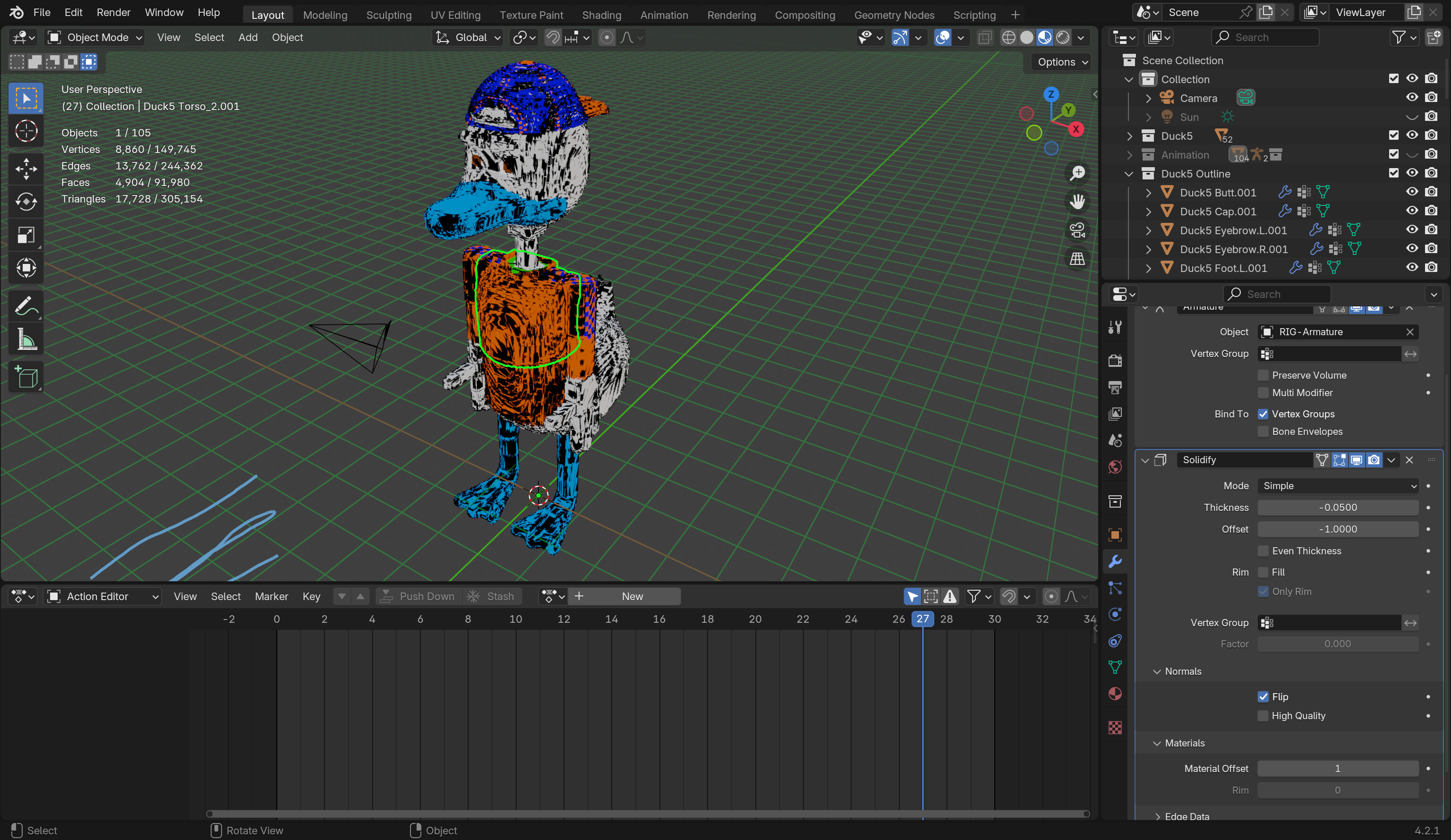
I want to make an outline for my character for 3d animation. I asked Chat GPT for this and it used its own version of the Solidify Modifier method, which didn’t work for me. I was wondering if there is a different method to make an outline for 3d animation. Here’s what happened when I used chat gpt’s method:
If you’re going to stay in blender then you don’t need to do the inverted hull method. You can also simplify it by just using a solidify on the main mesh. There is no reason to duplicate the mesh. If you’re going to export to a game engine or a different render engine.
I’d use Line art or Free style. Personally I prefer the line art method. Move all the mesh objects that you want lines for into a collection. Then in that collection add a collection line art grease pencil(Shift+a->grease pencil->Collection Line Art. This creates the lines based on how the objects are viewed from camera. So as you move the camera lines can disappear and appear, but you won’t see that when viewed from the camera. Also you can select the grease pencil then in properties editor modifiers tab under the edge type you can change what edge types to include. If you check edge marks then you can go into edit mode of the mesh and select edges you want lines for then press ctrl+e->Mark Freestyle edge. This can be used with freestyle too. You have a lot of control with this method.
Freestyle is a post process effect so you only see it when you render. To turn it on under render tab of the properties editor check freestyle. Most of the setting are under all the freestyle panels in the view layers tab of the properties editor. The freestyle line color can be set under the mesh’s materials tab of properties editor in the freestyle line panel. It’s super powerful, but again it’s a post process and can be overpowered for what most people use it for. That is way I prefer Grease Pencil’s line art.
 Steps: Inverted Hull with an Armature
 Final Check
 Let me know if you need further tweaks!