I believe I have found a solution, I will re-summarize the problem and explain my solution.
My Objective:
Assume we have 7 separate objects, which are each already textured, have normal maps baked from high poly sculpts, UV unwrapped.
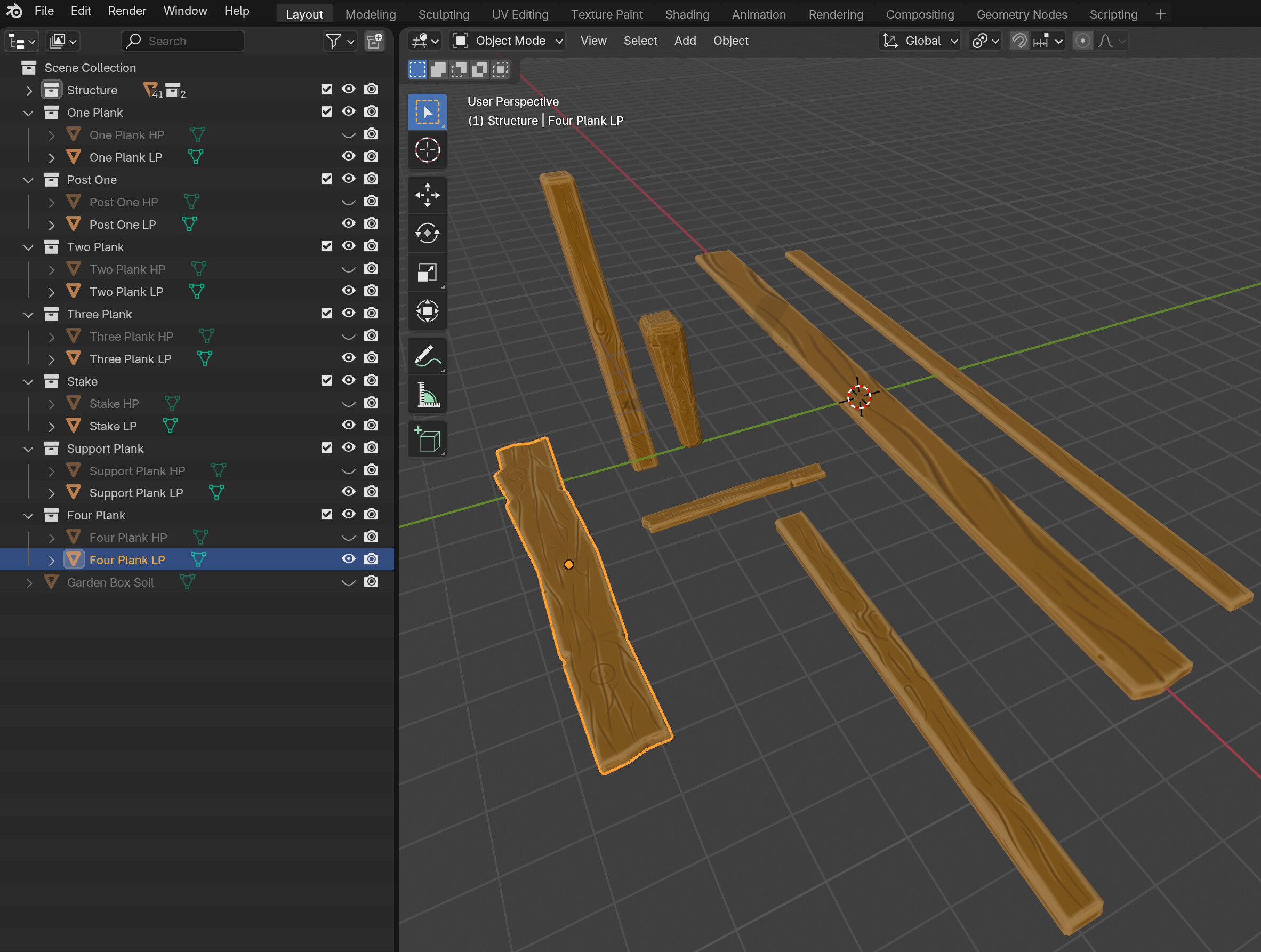
Each object has it’s own material, with a set of texture images:
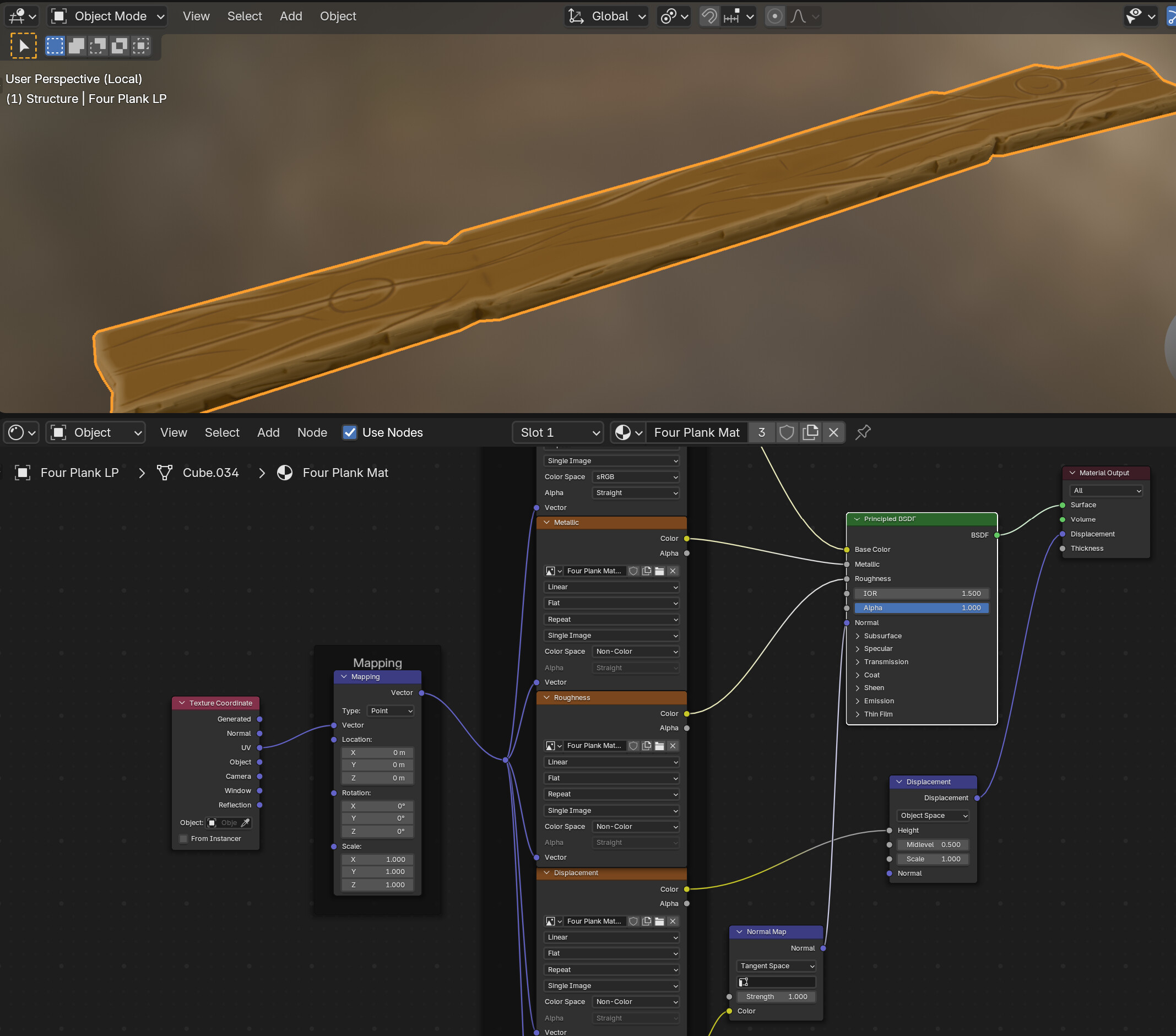
Let’s say that I want to treat these Wooden Planks like building blocks, and construct tens of structures from them (a chicken coop, a bench, a shed, a barricade). I could do this by creating linked duplicates (alt + d) and positioning the wooden planks.
I assembled linked duplicates of the planks into a structure:
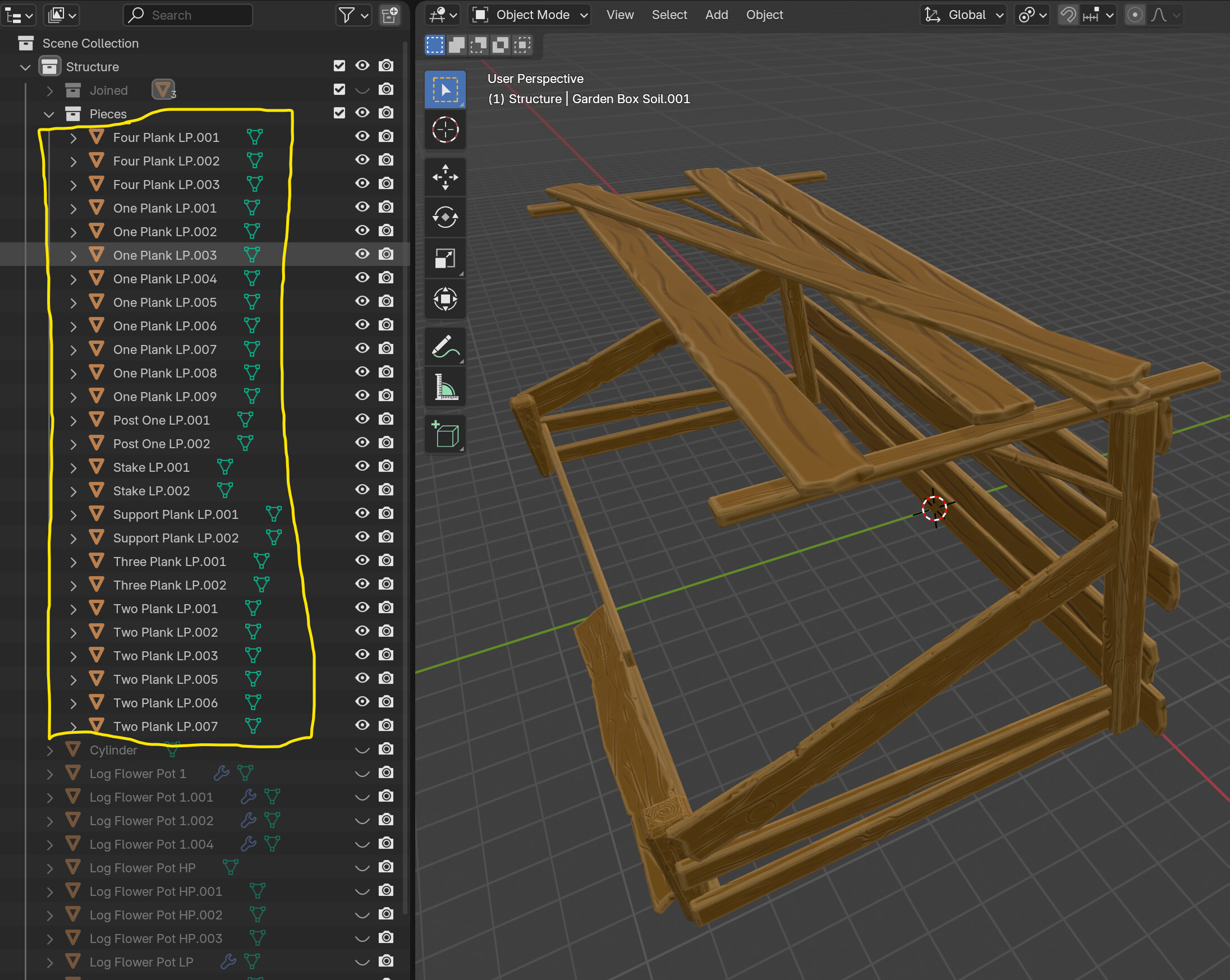
If I were to export this structure to Unity game engine (as FBX), it would result in almost 30 game objects. And, this isn’t even a bad example. Imagine if I tried to build a wooden dock (floor) out of 100 planks (by duplicating a few unique ones). So my objective is to somehow export only one mesh by joining all of the planks (ctrl + j).
Each of the planks has it’s own uniquely named UV map. If I were to grab a few, and join them, then the textures for some would immediately break.

However, if I give every one of the planks an additional UV map with the exact same shared name before I join them, then when I join them, the list of UV Maps will include each of the individual names, as well as the shared one.
Added this:
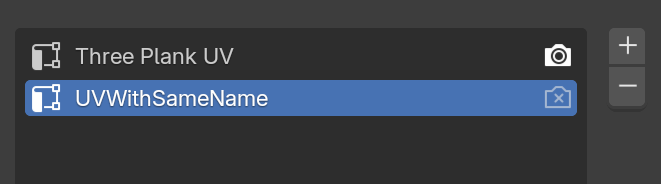
After joining:
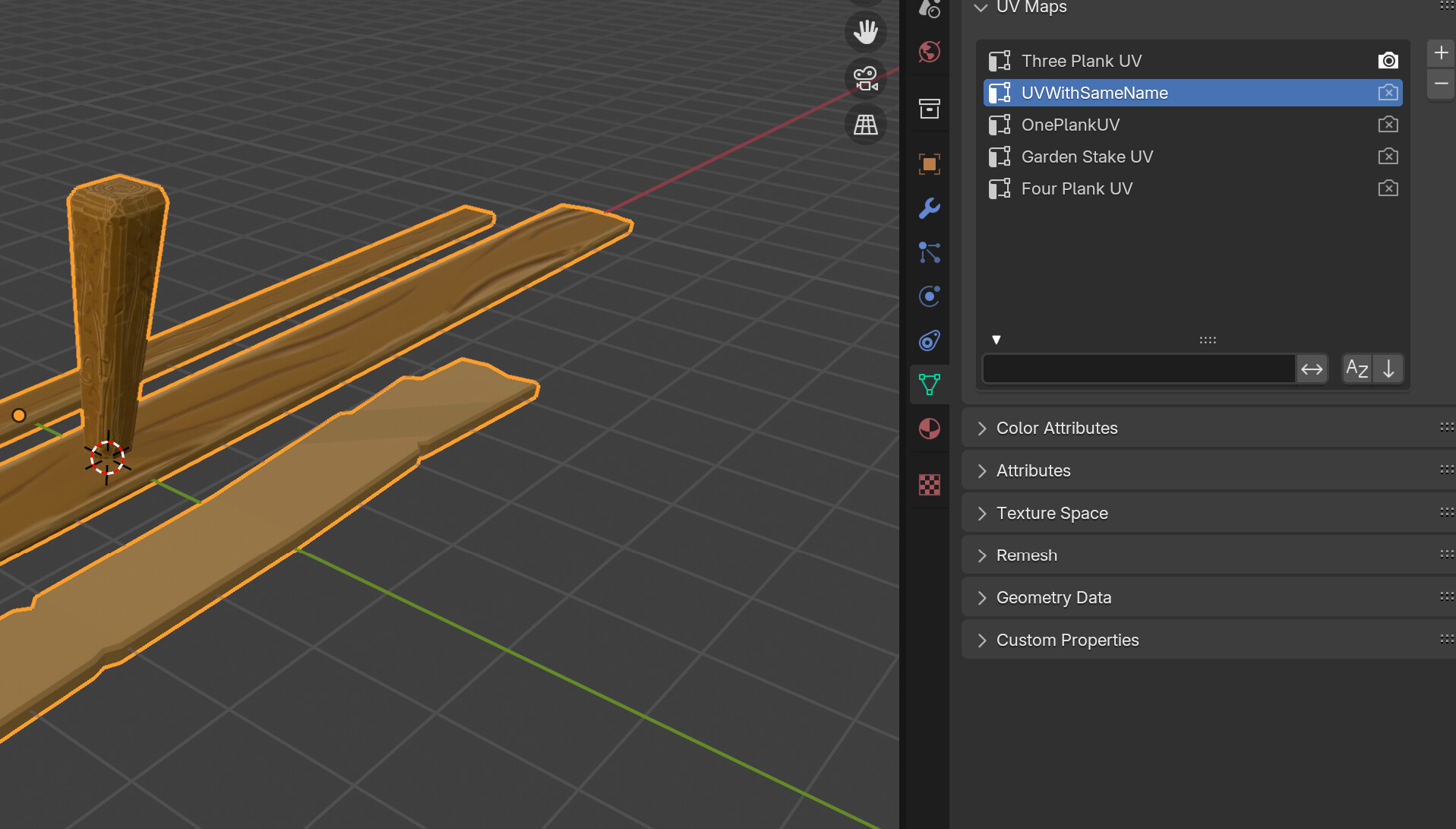
Then I remove all of the UV Maps, except the one with the shared name, and activate that one:
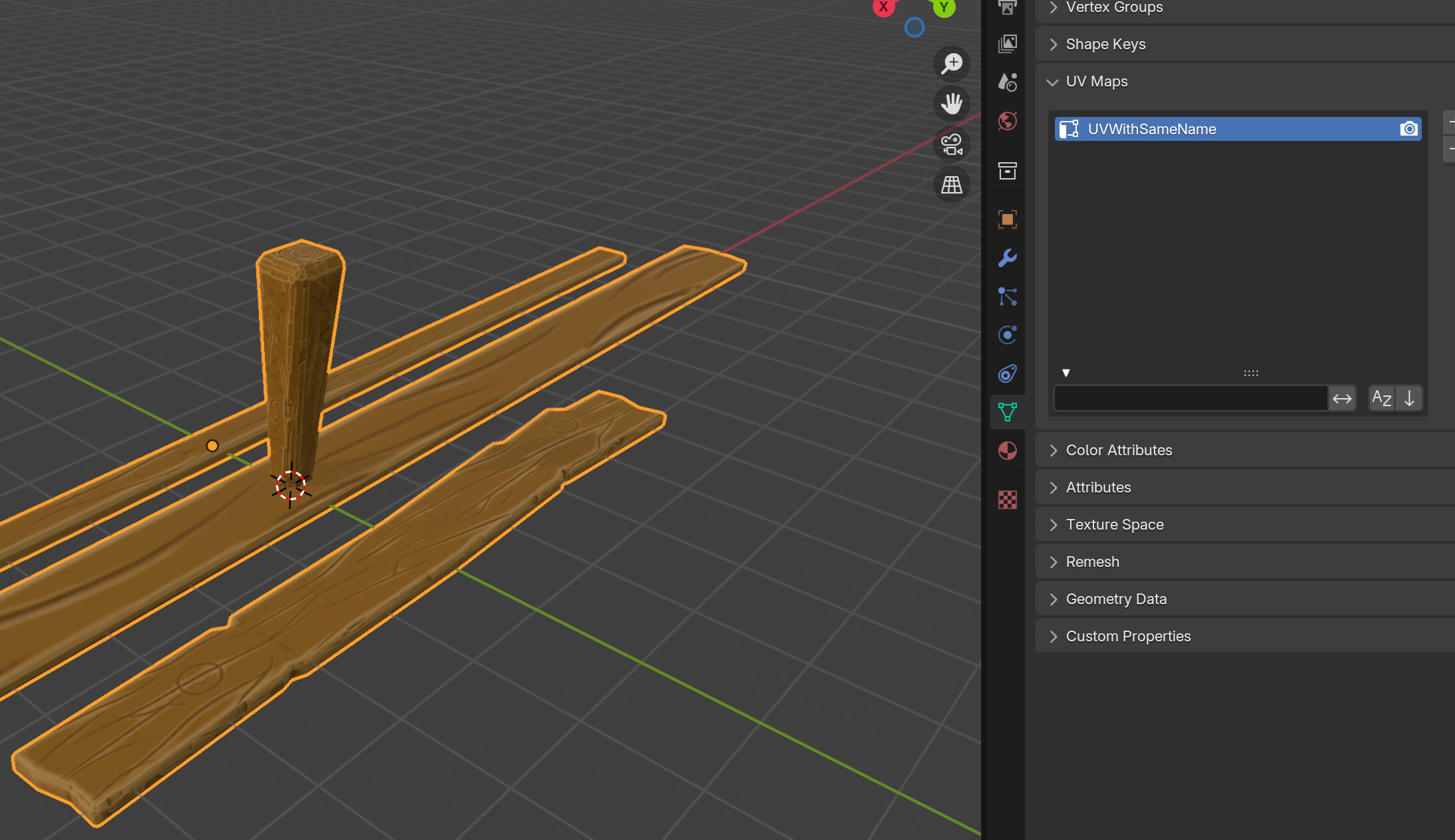
Then now they are all joined as one mesh, and the textures appear correctly. At this point, it’s done and working. But the last step is to just export and verify that it works in Unity.
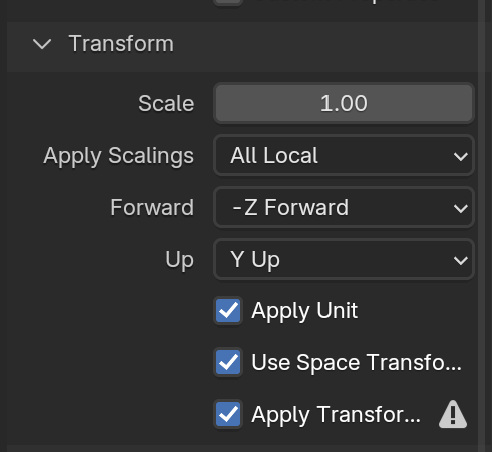
When exporting an FBX from Blender to Unity, the correct settings to prevent the object from having default rotation is y up and negative Z forward. Also check Apply transform to make the root object and children objects (if any) all have a scale of 1 ( to avoid that scale of 100 issue on children ). Finally, make sure your model is “facing” the -y direction, and has zero rotation and scale (meaning go into edit mode and rotate it to face -y).
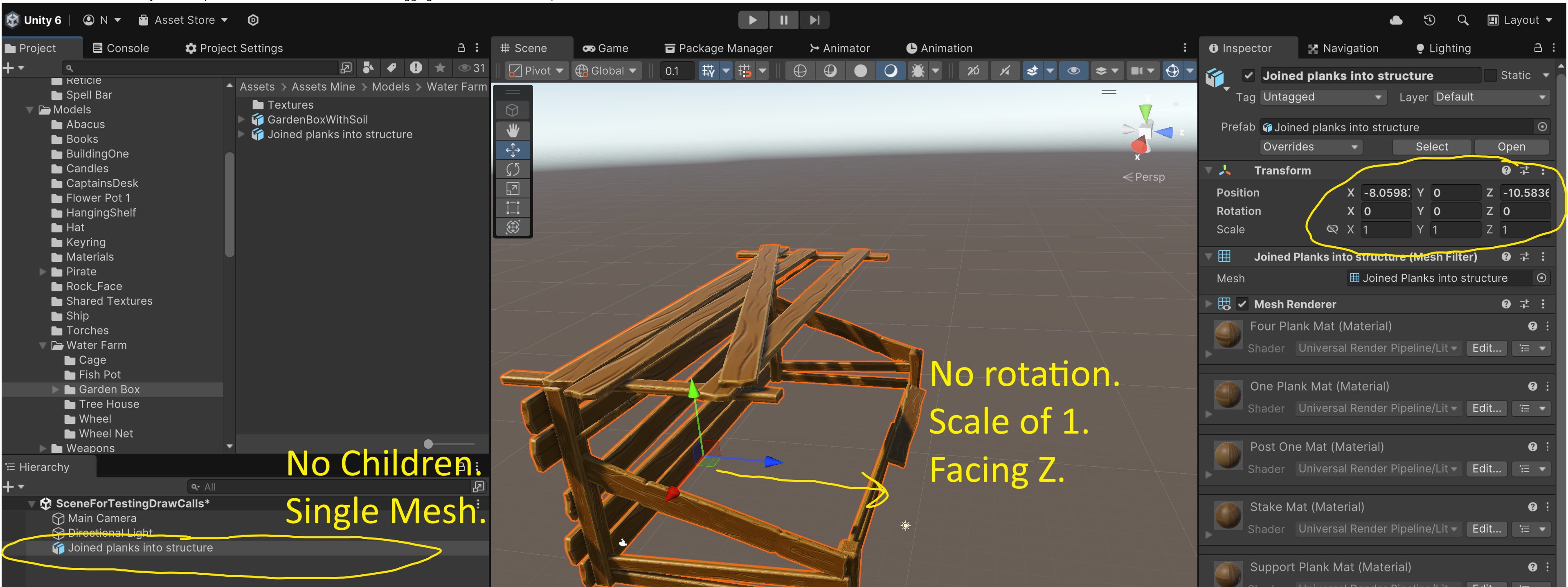
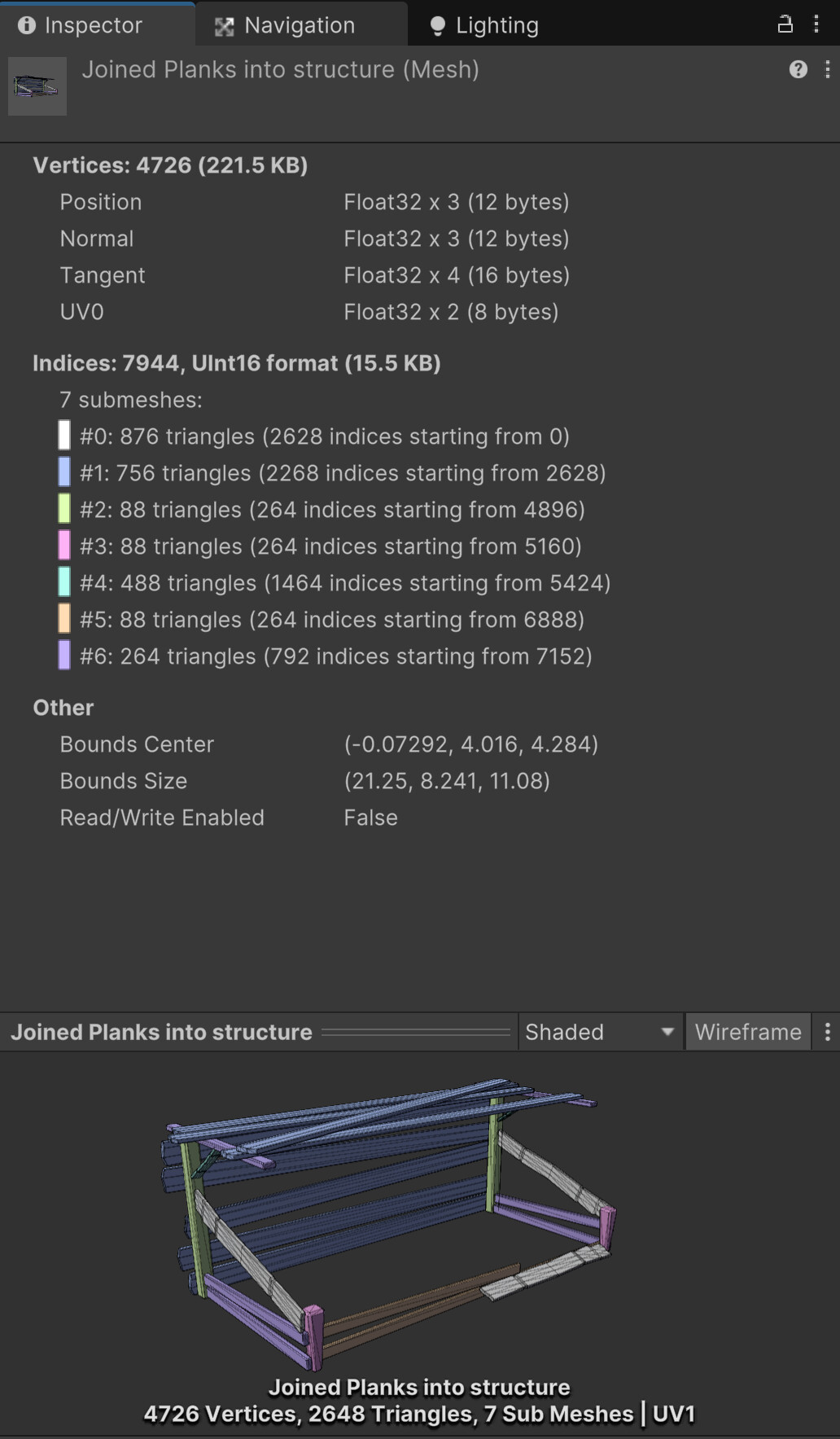
In Unity we can see that the final prefab has no children because it’s a single mesh with multiple materials assigned. Because of this, we can create as many structures as we want from these materials, and they will all share the materials, allowing us to use Unity batching.
And finally if we inspect the final mesh in Unity, we can see that it has color coded each index, each material and it identified only a single UV (UV0)
So, hopefully I’m not missing something obviously bad about this approach. But I think this solution accomplishes exactly what I was hoping for. It allows me to construct as many structures as a I want from some building blocks, and export them to Unity as a single mesh. All of the structures will share the same handful of materials (for batching and texture space). All of the building blocks can use the full UV space (high resolution textures). And each building block can be constructed and modeled individually.
I hope this helps someone else because I could not find this online anywhere.