Shoot Brian… I’m not understanding was is going wrong with this. I went back into your three scripts I have copied into my Assets → Scripts → Audio folder. Like we have set up in the course.
- AudioRandomizer.cs
- AudioArray.cs
- NewRandom.cs
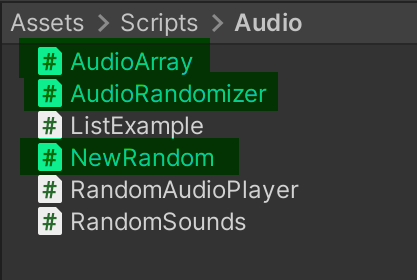
I changed all of the namespaces to “namespace TkrainDesigns” And all the errors in the scripts went away. Awesome I thought.
Went back to the object that had the AudioRandomizer script attached to it, and tried to drag and drop the Bow Sounds.asset (Scriptable Audio Array) to it, and it doesn’t want to attach at all. Gives me the no entry symbol.
Deleted the Scriptable Audio Array and made a new one, because I got this error.
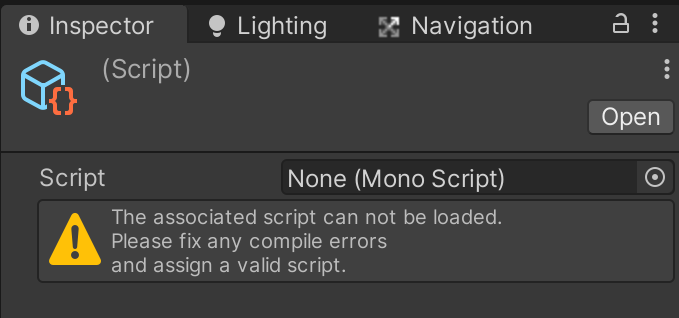
Here is the new one, but it is under the Bow Sounds folder.
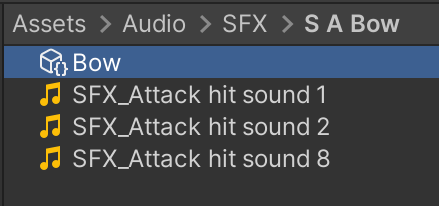
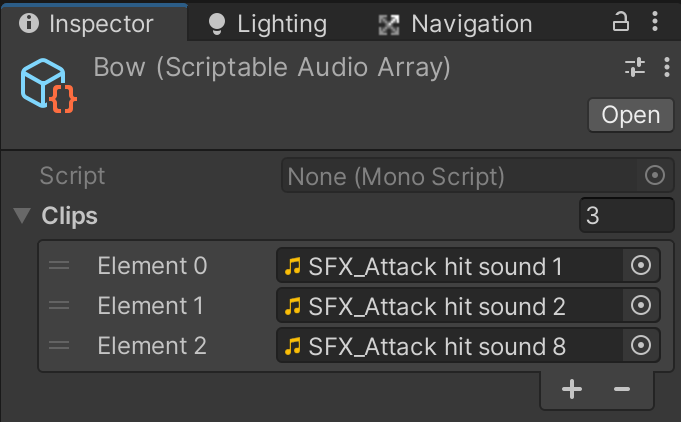
Added the three sound files to it, and then went back to the object and tried to drag and drop the new Scriptable Audio Array, and I get he same error.  I’m not sure why this isn’t working.
I’m unclear on the namespace issue. I had changed them all to RPG.Audio to be in line with the course. So I changed them all back to TkrainDesigns, but do I need to change the name of the file to TkrainDesigns? How then do I name different random sound arrays? (random bow sounds, random sword sounds, fire spell, ice spell, and so on and so on). I’m sure there is some logic to this but I just can’t seem to put one and one together to understand this.
I went back into the Bow.Asset (new Scriptable Audio Array) and saw this.

Maybe this is the issue?