Hi Kimy,
Here’s my implementation of what you’re trying to achieve.
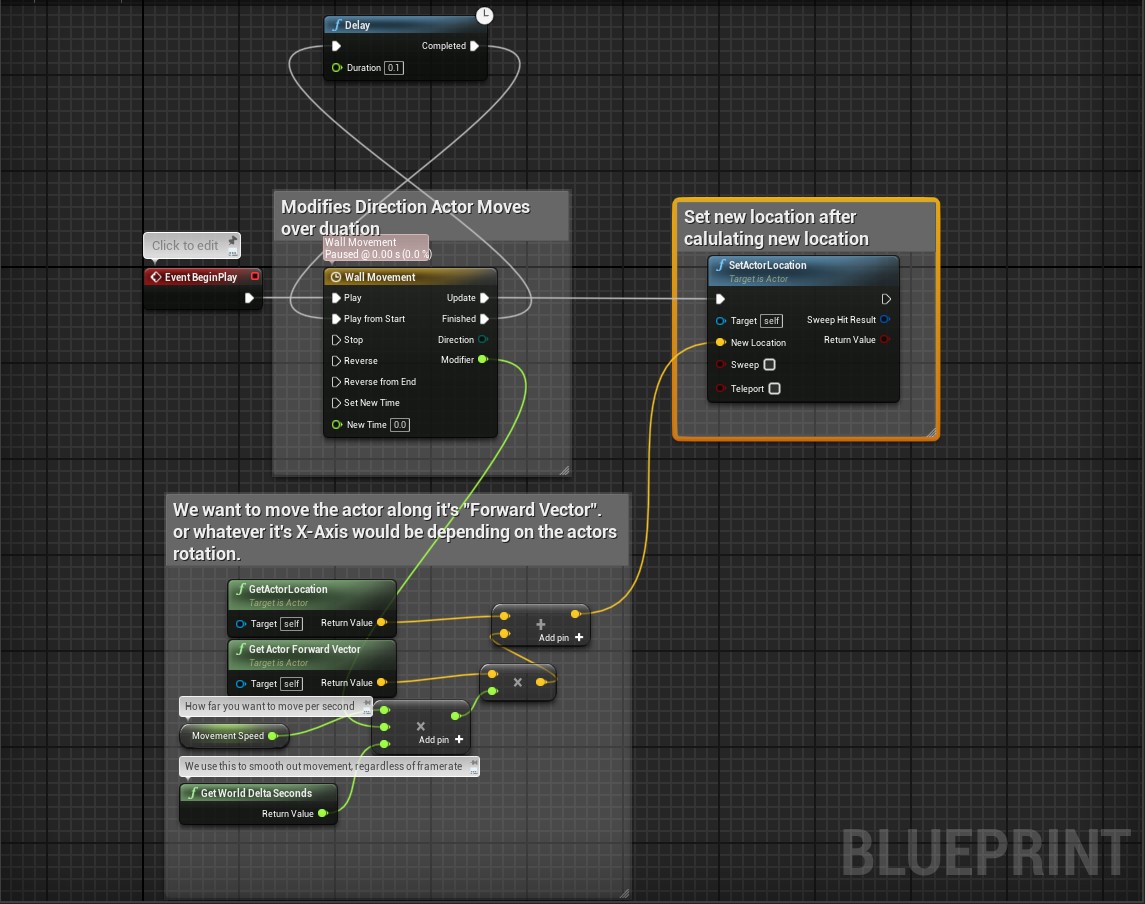
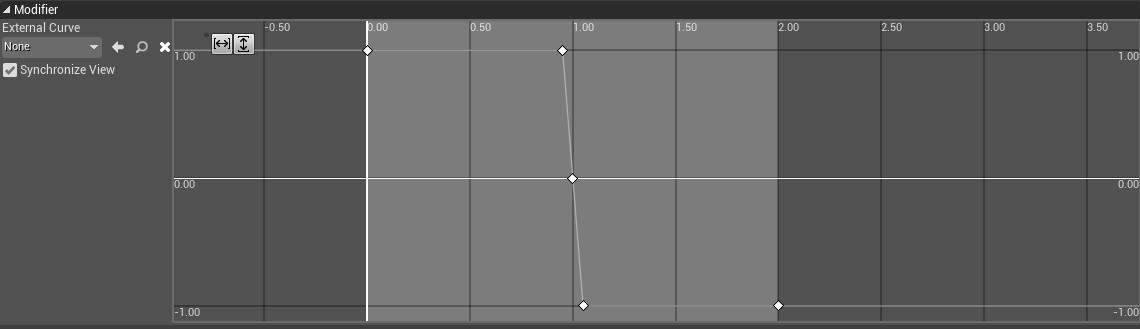
There’s two things to note with mine (you can ignore the fact I used actor location instead of component relative location, this works with either):
-
The X,Y,Z coordinates are like static positions on a grid and on their own are independent of rotation. What you need is the object’s forward vector, or effectively what the X-Axis would be after rotation is applied but expressed as X,Y,Z on that “static grid”. For example; if a rotation of 0-Degress would have a Forward Vector of (1,0,0), then a rotation of 90-Degress would change that forward vector to (0,1,0). A rotation of 45-degrees would be (0.5,0.5,0). You then add that forward to the current location of the actor you want to move, and you can increase the amount of movement by multiplying the forward vector by a float value (This is what the “movement speed” variable is doing).
-
Rather than adjusting the location of the actor/component directly. The timeline is used to modify the direction of movement. Using the value of the float in the timeline as a multiplier to the forward vector of your actor/component. Positive values move forward, negative moves backward.