Download the Male Brute model off of Mixamo to follow Along.So sometimes you import a model from mixamo and it just stands there T-Posing during an animation. So that has to do with you rig not being set Up correctly. Plus theres this weird mixamo Animation clip that doesnt belong there. Let’s fix that and the Materials.

Go onto your Model. Like shown in the Course go to materials an set Material Creation Mode to Standard and Location to Use External Materials. Than click on the Normal Map error and fix now.
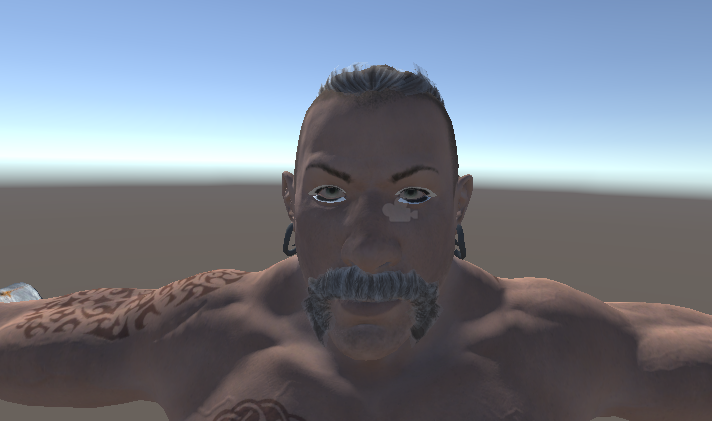
Better But it still looks weird especially the Hair. This has something to with the rendering Mode. If you got Hair most of the time you use Hair Cards i.e Polygons with a hair texture and transparency. Go into the materials folder of the Model. Select the Beard, Hair and Body Diffuse material and set the Rendering mode to Cutout. All should use the Standard Shader. Body Diffuse needs to be cutout too, because the eyelashes use a tranparency texture. If something about your model is see through, that means the Shader is set to Transparent.
There you go Materials fixed.
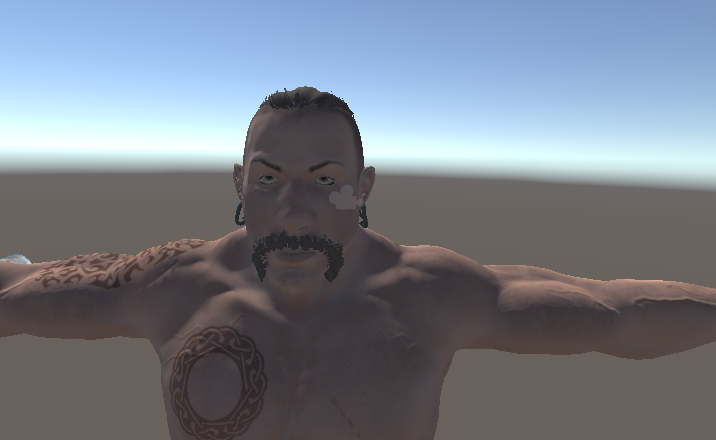
Lets fix the animation.
Go onto your model prefab and into the rig tab.
Set Animation Type to Humanoid. Then the Avatar Definition should be automatically set to “Create from this Model”. You can leave the Rest like it is and click apply. Go to every one of you animations and do the same. Now the Animation should work. You will probably still have some glitching you would have to do some cleanup with weight painting and such.