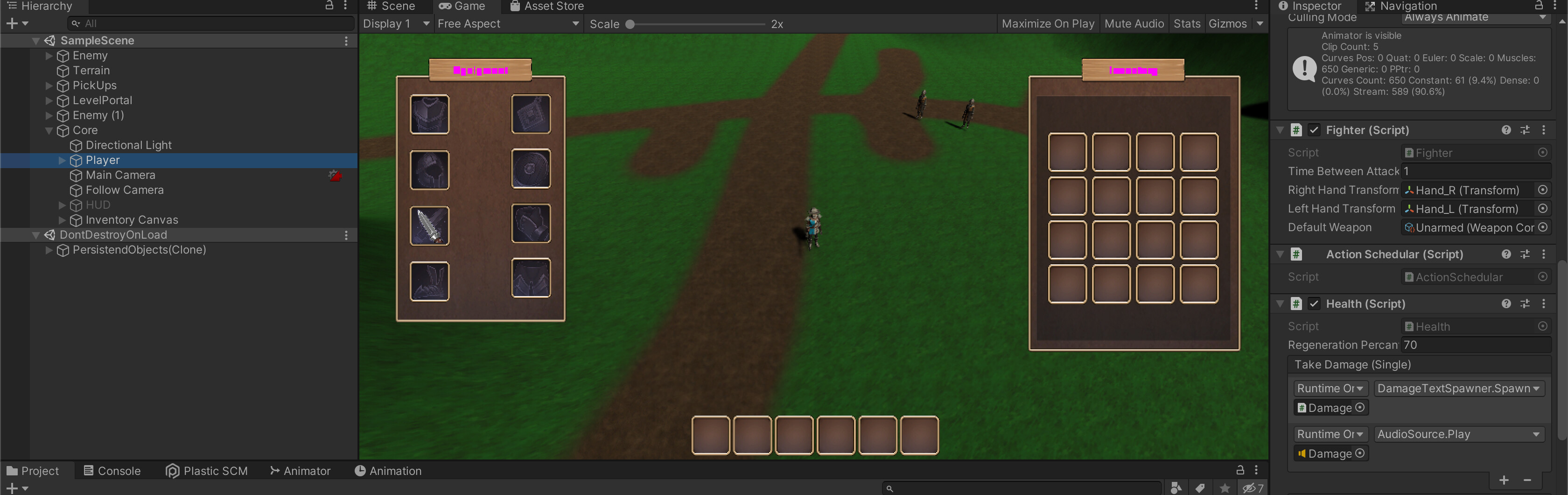
So I have the weird issue, that I have actually no errors in my console and everything from picking up and dragging the healthy hat to the inventory works just fine but it actually won’t set my health up and also not showing it in the UI. Any Ideas in which part of the code it could be wrong?
Also I just noticed that my equipped Weapons are not making any damage anymore and he is just taking the damage from the progression
Did you attach the Equipment or the StatsEquipment component to your player? The Equipment one by itself isn’t an IModifierProvider, and won’t be picked up in the gathering of stat bonuses.
I attached the Stats Equipment to the player but for some strange reason the health won’t go up and also attached weapons are not making any damage anymore
using System.Collections;
using System.Collections.Generic;
using UnityEngine;
using RPG.Inventories;
using RPG.Stats;


namespace RPG.EquipedInventories
{
    public class StatsEquipment : Equipment, IModefierProvider
    {
        IEnumerable<float> IModefierProvider.GetAdditiveModifiers(Stat stat)
        {
            foreach (var slot in GetAllPopulatedSlots())
            {
                var item = GetItemInSlot(slot) as IModefierProvider;
                if (item == null) continue;


                foreach (float modifier in item.GetAdditiveModifiers(stat))
                {
                    yield return modifier;
                }
            }
        }

        IEnumerable<float> IModefierProvider.GetPercentageModifiers(Stat stat)
        {
            foreach (var slot in GetAllPopulatedSlots())
            {
                var item = GetItemInSlot(slot) as IModefierProvider;
                if (item == null) continue;

                foreach (float modifier in item.GetPercentageModifiers(stat))
                {
                    yield return modifier;
                }
            }
        }

    }
}
I need to mention, that I changed the names of the namespaces a bit during the process.
So what for you was " using GameDevTV.Inventories" is now RPG.Inventories for me and that’s why I also have a different namespace (EquipedInventories) in this case. Just to make it clear
P.S Also my IModifier Script is in my case written with an e, so just if you wonder if I did a typo in this script here
This means we need to look at your StatsEquipableItem and WeaponConfig scripts to see what’s going on there, as well, as your StatsEquipment looks correct.
No I don’t cause I thought I only need it, when I want to activate like special bonus damage to the weapons? :o
P.s This did the trick with the healthy hat! The Healthy hat works now but only in one scene. If I change the scene then it gets stuck in the white fading screen with this error:
ArgumentNullException: Value cannot be null.
Parameter name: key
And my weapon still doesn’t make the right amount of damage
Check the Item ID of all of your InventoryItems. It’s possible that one is null.
Is the weapon the default weapon or one that is equipped into StatsEquipment?
The Default Weapon won’t add to the stats, as it’s not actually equipped into StatsEquipment, generally for the player this is Unarmed, so the damage should reflect that bare minimum for Unarmed. Since the Enemies don’t use stat bonuses, the damage should reflect the damage for their weapon of choice.
As my default weapon on the fighter script I have my unarmed weapon. When I pick up the sword and equip it in the inventory he actually takes the sword in his hand but he dont actually change any damage value and it only stays the damage from the current experience level
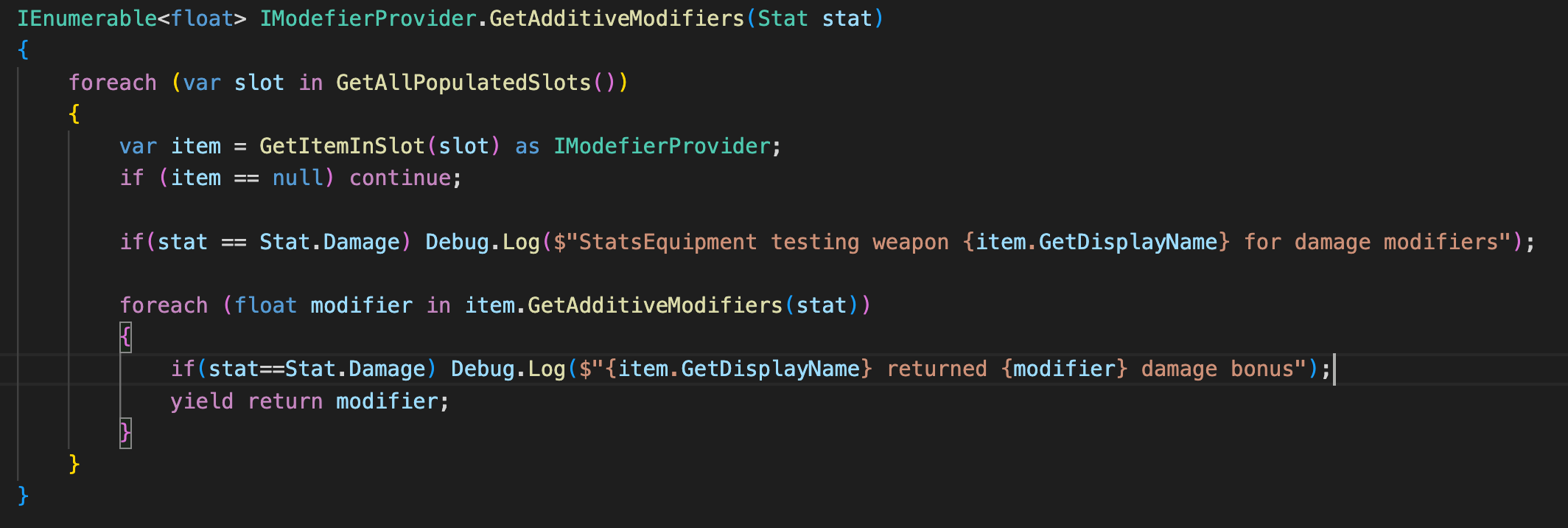
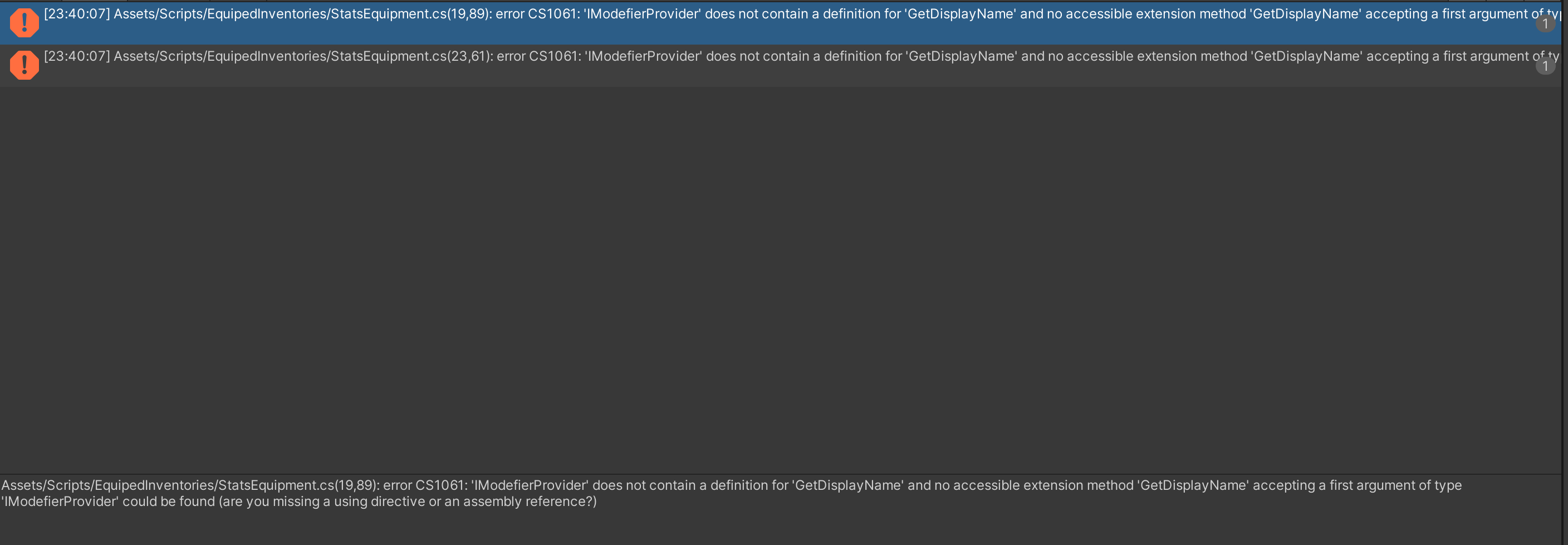
Ack, that was my fault, I wrote that one at work, IModifierProvider doesn’t have a GetDisplayName function, and what we really needed was just to use the GetItemInSlot…
Let’s rewrite those debugs:
if(stat == Stat.Damage) Debug.Log($"StatsEquipment testing {GetItemInSlot(slot).GetDisplayName()} for damage modifiers");
and in the foreach
if(stat ==Stat.Damage) Debug.Log($"{GetItemInSlot(slot).GetDisplayName()} returned {modifier} damage bonus");
Hello Brian! I am really sorry but I found the solution for the problem and it was actually so easy and dumb in the same way. So you told me to tik the box with “Use modifiers” on the base stats. Well I did that in the prefab of the player but right now I just found out, that it was actually not activated when I was running the game. So I activated it also on this level and now everything is just working fine. The healthy hat is a healthy hat now and the weapons all making the right amount of damage. Sorry for bothering you with such a simple solution but at least found it out now.
Also I have to say that this was my first question here in the community and I just wanted to say that you do such a great job and I am super happy with your clear and understandable answers! Also that you respond so damn fast and not after like a few days is just such a high notch service! I am super happy about it and thanks again.
I’m glad you got this sorted. Feel free to keep asking questions, the answers aren’t always obvious (for example, I didn’t think of checking shouldUseModifiers until we’d exhausted several other avenues!). There are a lot of factors when debugging in Unity, especially since we have not only our codebase, but settings in the inspector or prefabs that can be causing trouble. The trick is to go through each possibility, one at a time until we find the culprit.