Hello,
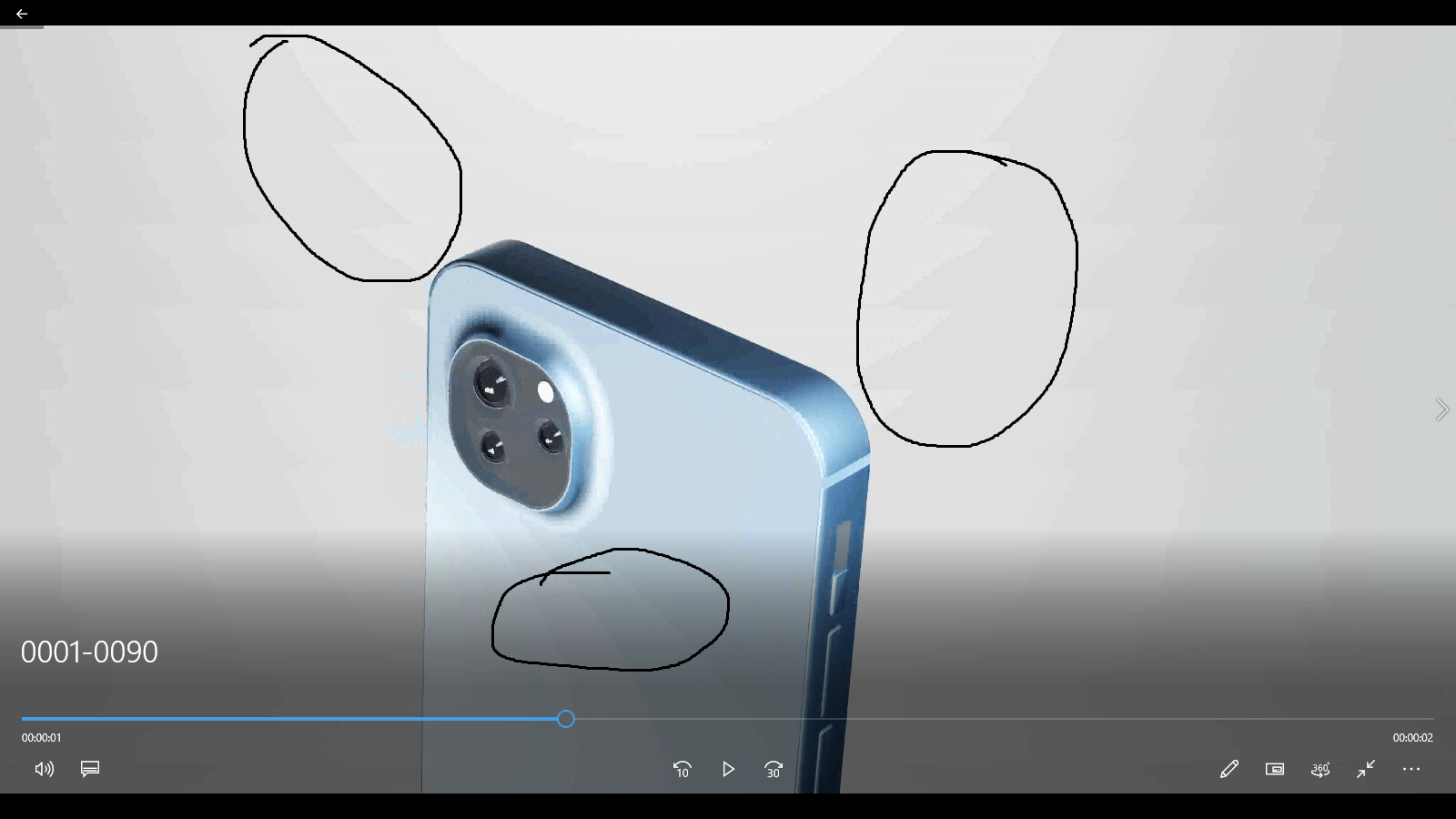
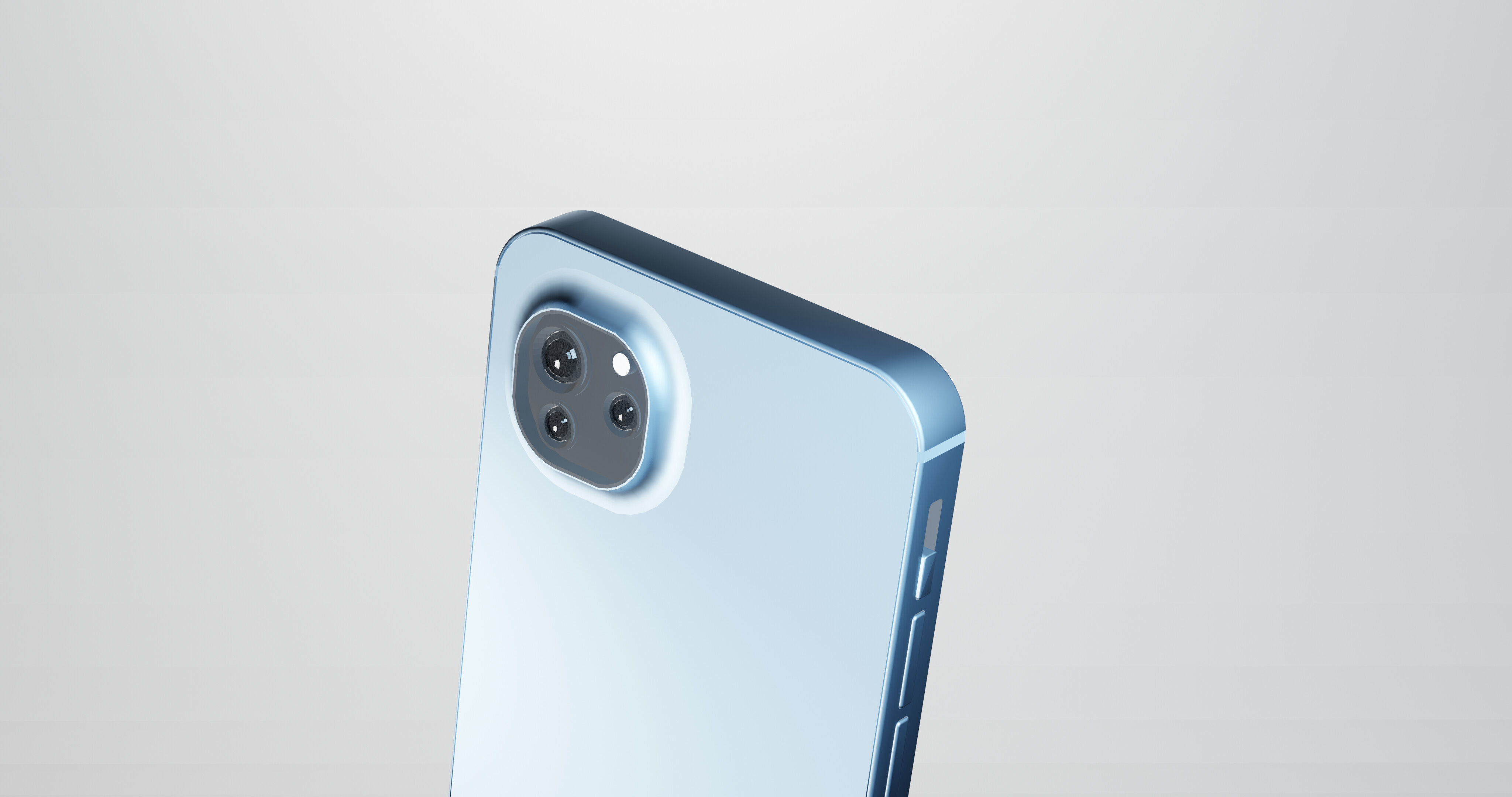
can anyone tell me why this distortion is coming in my animation but it is not in picture?
are lights too strong… ?
Thanks in advance 
Hello,
can anyone tell me why this distortion is coming in my animation but it is not in picture?
are lights too strong… ?
Thanks in advance
This is what’s known as “color banding.” It seems to occur in rendered videos, particularly with eevee renders. I haven’t had too much experience fixing up animations, but I always want to assist in whatever way that I can. So reading some sources and watching some videos, I found several suggestions to solve this issue:
The first is to render in cycles rather than eevee. This solution I don’t favor too much due to cycles taking much more time (depending on how strong the computer).
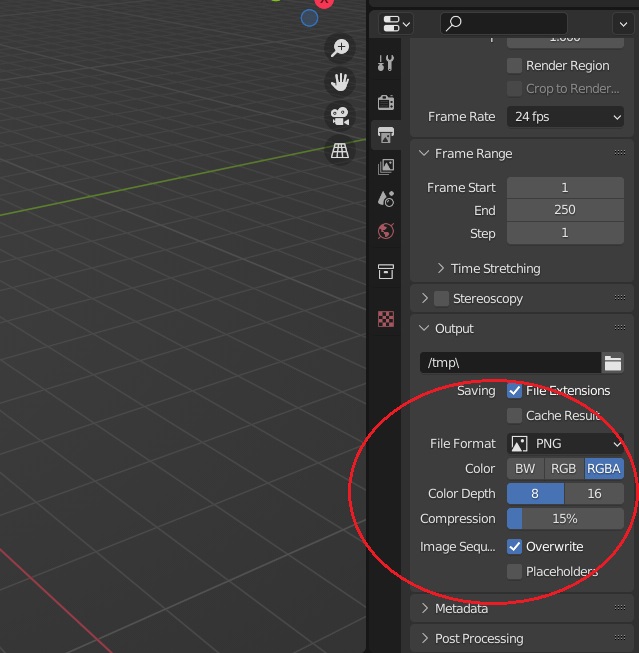
The second is to change the color depth from “8” to “16.” (See below)
The last solution is to add a film grain to the final render. It is stated that the film grain will blur the bands of the different shades of color. This can be done in the compositor or in a video editor (which blender has).
Let me know if this helps. If not, let me know and I will try and find more solutions to this issue. 
I changed two things 1. Lower the lights There was too much brightness I guess.
2. change resolution from 4k to 2k
for what I think it was Lighting issue which really caused that for the moment I wanted results so I haven’t changed res, back. will see
Thanks for the tip
2nd option I didn’t knew and now I know
Nice
This topic was automatically closed 24 hours after the last reply. New replies are no longer allowed.